
THE SHORT ANSWER
Choose around the next action your team needs
We would start with HubSpot Free for a one- or two-person team that can handle follow-up manually. We would trial Pipedrive for a sales process that needs stage changes to create tasks. In our Pipedrive vs HubSpot comparison, both recovered useful deal context. Neither produced an email we would use without editing.
Our hands-on evidence covers Pipedrive Premium with Sales Assistant beta and HubSpot Free with Breeze Assistant. A paid trial completing a workflow does not prove that HubSpot’s paid plans cannot do the same. The useful question is which account and package you should test next.
Compare the results ↓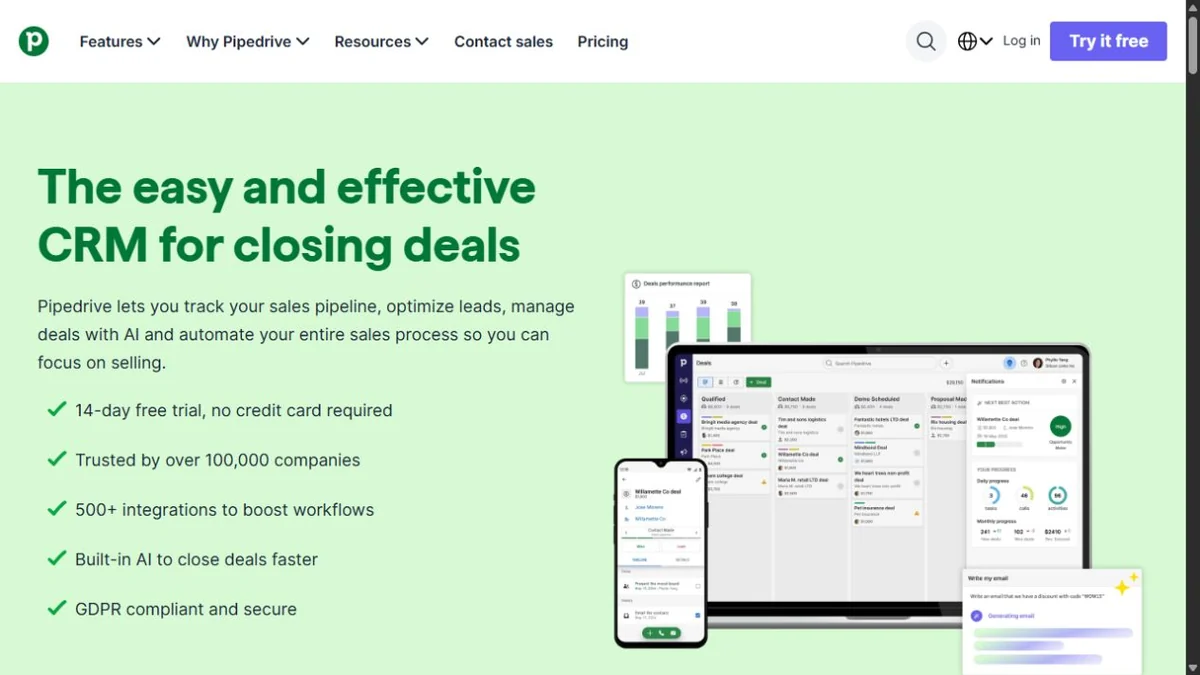
Pipedrive
Trial it for: a deal moving into a proposal stage and creating an assigned next task.
Watch: our rule created another task each time the deal re-entered that stage.
See Pipedrive plans ↗Full Pipedrive review →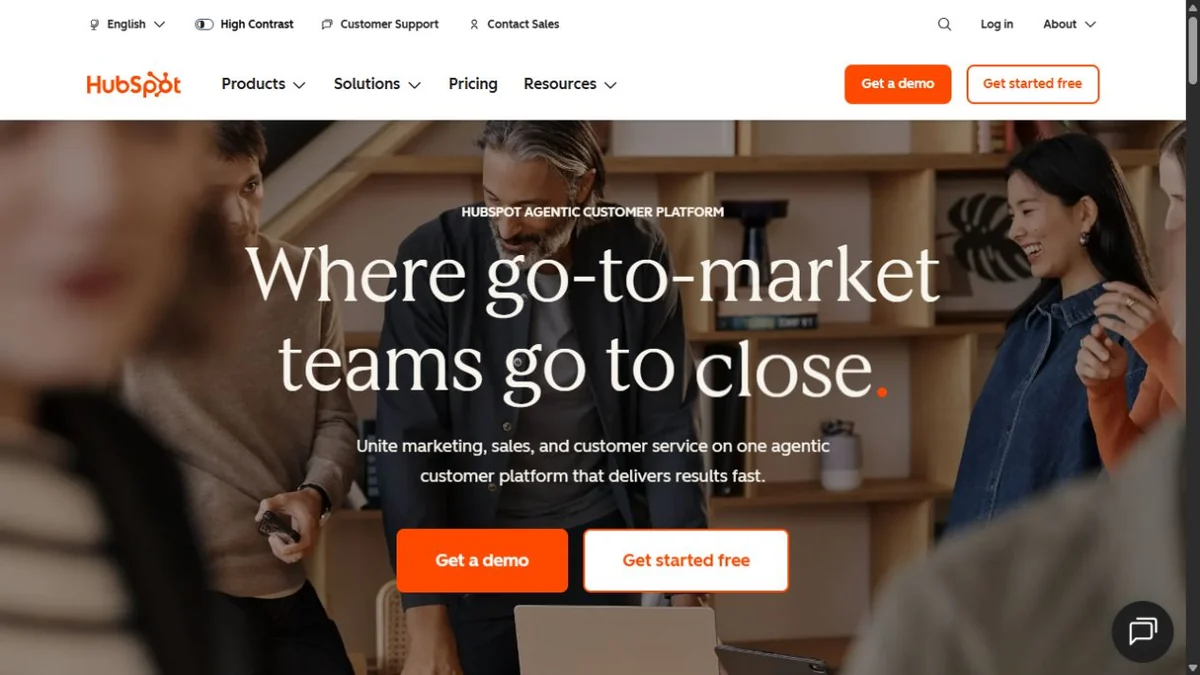
HubSpot
Trial it for: linked contacts, companies, deals and manual follow-up on Free.
Watch: automation hit an upgrade boundary in our account; verify the paid rule you need.
Explore HubSpot Free ↗Full HubSpot review →Standard provider links; no affiliate tracking. Homepage images identify the tools; test evidence follows below.
01 / WHAT WE OBSERVED
Pipedrive vs HubSpot at a glance
| Check | Pipedrive Premium trial | HubSpot Free |
|---|---|---|
| Linked sales records | Contact, organization and deal linked. | Contact, company and deal linked; dummy email also caused an automatic company association. |
| Corrected deadline | Proposal and DPA: September 11 retained. | Proposal and DPA: September 11 retained. |
| Agreed action without a date | Owner and missing date found, but grouped with pending items. | Owner and missing date found, but grouped with non-definitive follow-up. |
| Customer email | Readable chat draft; commercial status and missing deadline needed clarification. | Original artifact preview recovered after Gmail setup; pilot-user action lost its owner. |
| Saved next task | Manual task plus a separate working stage-change rule. | Manual task worked; automation entry required an upgrade. |
| Repeat control | Non-matching title: no new task. Two matching re-entries: one new task each. | No automation configured or repeat control run. |
Both tests began with the same fictional $2,400 annual sale and a saved meeting note. Neither CRM recorded a meeting for us. Call transcription is a separate requirement from recovering saved notes; see our Fireflies recording-input test.
02 / BEFORE YOU SEND THE RECAP
HubSpot kept clearer commercial caveats; both emails needed a check
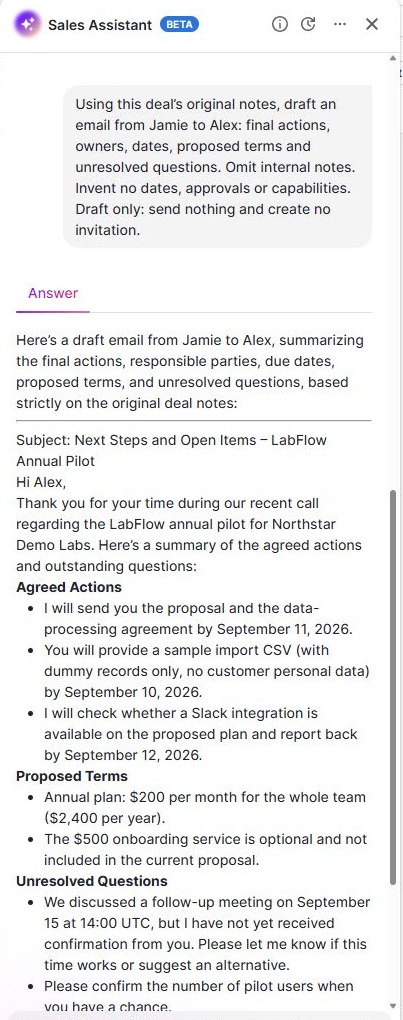
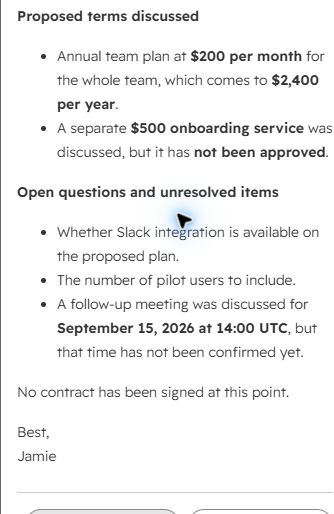
Both drafts retained the three dated commitments and left out the internal 10% discount in this case. HubSpot’s recovered draft explicitly kept the separate $500 onboarding service unapproved and said no contract was signed. Pipedrive described the fee as optional and outside the proposal; we would make its approval status explicit.
The undated action is the easy detail to lose
Alex had agreed to confirm the number of pilot users, with no deadline. Pipedrive asked Alex for the number when convenient; HubSpot listed it as an open question without assigning it to Alex. Our preferred line for either recap is:
Alex: confirm the number of pilot users. No deadline was agreed for this action.
This is our editorial correction, not a new AI response. Our follow-up email template provides a reusable structure.
Draft generation is not email delivery
Pipedrive’s native composer still needed an inbox connection. In HubSpot, connecting Gmail and choosing it as sender exposed a subscription/legal-basis requirement for the fictional recipient. We did not change consent or send the customer draft. HubSpot’s body was assessed in the artifact preview, not the gated composer. Neither test establishes reliable delivery or ongoing mailbox sync.
03 / FROM A NOTE TO A SAVED TASK
Pipedrive completed our rule; HubSpot Free stopped at an upgrade
We separately configured Pipedrive to watch a deal-stage change, match the exact test-deal title and create an internal task due the next day. That rule worked. A non-matching title stopped it; restoring the title and re-entering the proposal stage created another task on each attempt. We then switched the rule off.
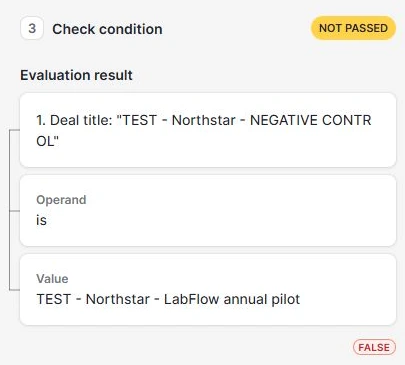
Budget for the capability, then test the rule
Pipedrive’s plan matrix lists automations and email sync from Growth. We tested Premium; we have not repeated our rule on Growth. Its AI documentation places native AI email creation at Premium, separate from the Sales Assistant beta chat we used.
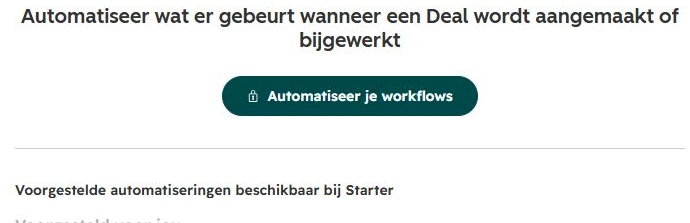
HubSpot’s general workflow guide lists Professional and Enterprise. Our account showed a Starter-labelled suggestion screen. Ask about the exact trigger and actions before paying; we did not run a paid HubSpot workflow.
Our decision: if task automation is the immediate requirement, Pipedrive is the first account we would trial based on the workflow we completed. If manual assignment is enough, HubSpot Free already covered that part. A typed AI task list by itself was not a saved activity in either product.
04 / ONE USER OR FIVE
Is Pipedrive cheaper than HubSpot?
Not in every scenario. HubSpot Free costs $0 within its limits. Paid subscriptions need a comparison of the features you need, not just the lowest advertised numbers.
Pipedrive: annual-billing base cost in USD
These September 7 USD rates were verified earlier in our pricing research against the official pricing page. Localized versions may show another currency. These are annual commitments, not monthly-contract quotes.
| Plan | 1 seat / month equivalent | 1 seat / year | 5 seats / year |
|---|---|---|---|
| Lite | $14 | $168 | $840 |
| Growth | $39 | $468 | $2,340 |
| Premium | $59 | $708 | $3,540 |
Five Premium seats cost $1,200 more per year than Growth at these rates. Identify the Premium feature you need before paying that difference. We have not verified a current monthly-billed USD offer; check the provider if annual commitment is unsuitable.
HubSpot: Free and Sales Hub catalogue scenarios
The public Free CRM page lists two users and 1,000 contacts. Five users cannot be priced as a Free team. Our account used a different records label; the HubSpot review explains that distinction.
| Option | Per seat / month | 1 seat: 12-month scenario | 5 seats: 12-month scenario |
|---|---|---|---|
| Free | $0 | $0 within limits | Outside two-user limit |
| Starter | $20 | $240 base | $1,200 base |
| Professional | $100 | $2,700 incl. onboarding | $7,500 incl. onboarding |
The Sales Hub catalogue requires $1,500 one-time onboarding for Professional. We calculate seat rate × seats × 12, plus that fee. These are budget scenarios, not verified annual-discount offers or checkout quotes. Starter onboarding is not specified in this catalogue entry. Taxes, extras and other Hubs are excluded.
For five users: Starter’s $1,200 base scenario is below Pipedrive Growth’s $2,340 annual base. That does not establish equivalent automation. Equally, comparing HubSpot Professional with Pipedrive Lite says little about equivalent functionality. Confirm package, seats, onboarding and renewal together; account-specific promotions can differ.
05 / YOUR STARTING POINT
Which CRM should you try first?
Solo founder or two people, mostly manual follow-up
Start with HubSpot Free. Our test supports linked records, saved notes and manually assigned tasks. Run a dummy case before connecting more data. Reconsider the budget when more users or paid functionality become necessary.
A small sales team that needs consistent next tasks
Trial Pipedrive with the required automation access. Reproduce your actual stage-change rule and check repeat updates. Our configured rule did not limit itself to one task per deal, so a successful first run is only the beginning of validation.
Broader marketing, service or reporting requirements
Expand the evaluation before choosing. We did not test attribution, service operations, complex reporting or migration in either product. Turn those requirements into acceptance checks and obtain a package-specific quote. Our sales test cannot settle an all-platform decision.
If neither starting point fits, our three-CRM SaaS shortlist also includes Close. That guide helps you choose candidates; this page helps you decide between Pipedrive and HubSpot.
06 / TAKE THIS INTO YOUR TRIAL
Copy a decision scorecard for your sales process
For the process behind the scorecard, follow our meeting notes to CRM walkthrough and copy its note template.
Use the same dummy case in both accounts. Record the exact tier and observed result, then decide which missing capability is worth paying for. This is an editorial worksheet, not another product test.
Open and copy the CRM trial scorecard
CRM and exact plan: [name / tier / trial or paid]
People who need access: [number and roles]

1. Link a dummy contact, company and deal.
   Result: [pass / issue / not tested]
2. Save a note with a corrected date and an undated action.
   Check final date, owner and missing-date wording: [result]
3. Draft the follow-up without sending it.
   Check unapproved fees, internal notes and open questions: [result]
4. Save the next task.
   Check actual assignee, linked record, date and timezone: [result]
5. If needed, test the exact automation.
   First match / non-match / repeated match: [new task counts]
6. Confirm mailbox and consent setup without sending to real leads.
   Observed boundary: [result]

Required feature still missing: [feature and minimum quoted plan]
Seat cost and billing commitment: [USD]
Onboarding, extras and renewal: [USD / conditions]
Decision: [choose / retest / rule out] because [specific evidence]
Keep the saved task separate from the AI’s suggested text. Our action-items tracker helps record the owner, deadline and unresolved details.
07 / EVIDENCE AND SCOPE
How we compared Pipedrive and HubSpot
This page synthesizes our preserved September 6–7 tests and HubSpot email follow-up. Our AI assistant operated Marvin Smit’s accounts using fictional data. It is not a fresh independent trial or an equal-tier benchmark. Pipedrive used Premium and Sales Assistant beta; HubSpot used Free, Breeze and a Dutch interface. We adapted existing pipeline stages and documented the mismatches.
The source note is in the shared CRM test method. Find exact executed prompts in the Pipedrive method and HubSpot method; Pipedrive’s input limit required shorter prompts. No overall accuracy score is assigned.
No fictional customer email or invitation was sent. HubSpot displayed an automatic connection-test email step during authorized Gmail setup. Ongoing sync, bulk imports, deliverability, paid HubSpot workflows, long-term reliability and migration remain outside the evidence.
Images are original homepage captures and test screenshots reused from the reviews. We have not recreated or translated the UI. English captions explain the Dutch HubSpot automation label.
Official sources
- Pipedrive pricing and trial · September 7 USD research; later localized extraction showed EUR.
- Pipedrive plan features and AI requirements · rechecked September 7.
- HubSpot Free limits and Sales Hub catalogue · rechecked September 7.
- HubSpot workflow requirements · September 7 research.
Pipedrive vs HubSpot: common questions
Is HubSpot better than Pipedrive?
For a free start with manual follow-up, HubSpot is the account we would try first. For a stage-to-task process, our Pipedrive trial provides more completed automation evidence. We have not compared equivalent paid HubSpot functionality, so neither result establishes an overall winner.
Is Pipedrive cheaper than HubSpot?
It depends on the package. HubSpot Free is $0 within its limits. Our five-seat scenarios are $1,200 base for HubSpot Starter, $2,340 for Pipedrive Growth annually, and $7,500 for HubSpot Professional including required onboarding. These options are not feature equivalents; check the billing assumptions.
What are the disadvantages of using Pipedrive?
Our AI draft needed clearer commercial wording, and our stage rule created a new task on every matching re-entry. For budgeting, email sync and automation start above Lite. These are checks to run in your trial, rather than reasons to reject every Pipedrive setup.
Can I compare the AI features on free plans?
Our HubSpot test used Free; our Pipedrive test used a Premium trial with Sales Assistant beta. Pipedrive’s public offer is a 14-day trial rather than a permanent free plan. Access to an assistant does not establish access to every AI feature or automated action.